








Your site and inventory
Your cars online, without retyping a single one
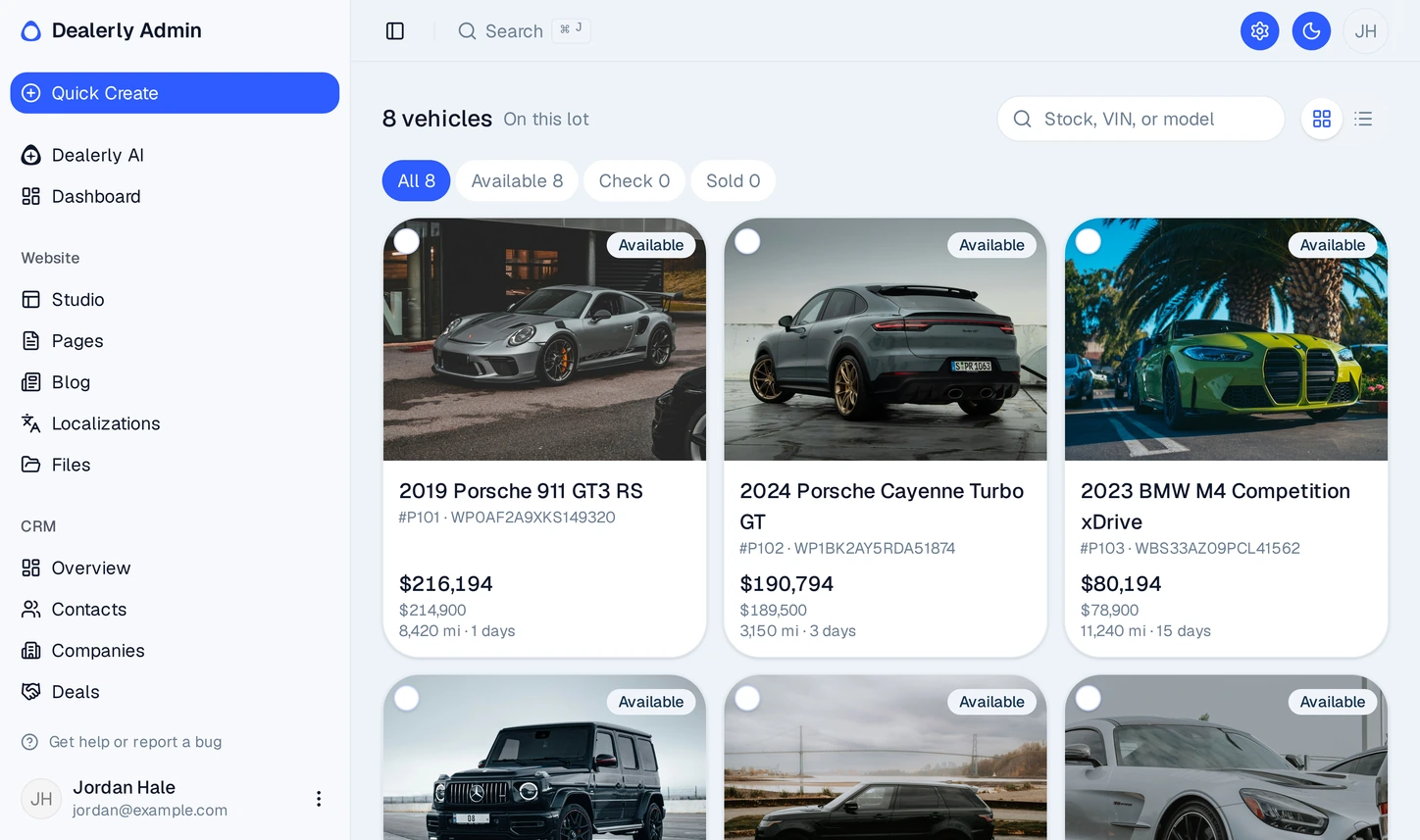
Dealerly reads the inventory file your dealer software already exports and keeps your website in step with the lot, on your own domain.
- Syncs up to three times a day, matched by VIN
- Cars that leave the feed are flagged for you to check
- A page for every car with photos, specs, VIN and stock number
- Each car described to Google, with a sitemap that updates itself
Pricing
One honest price that still closes the deal
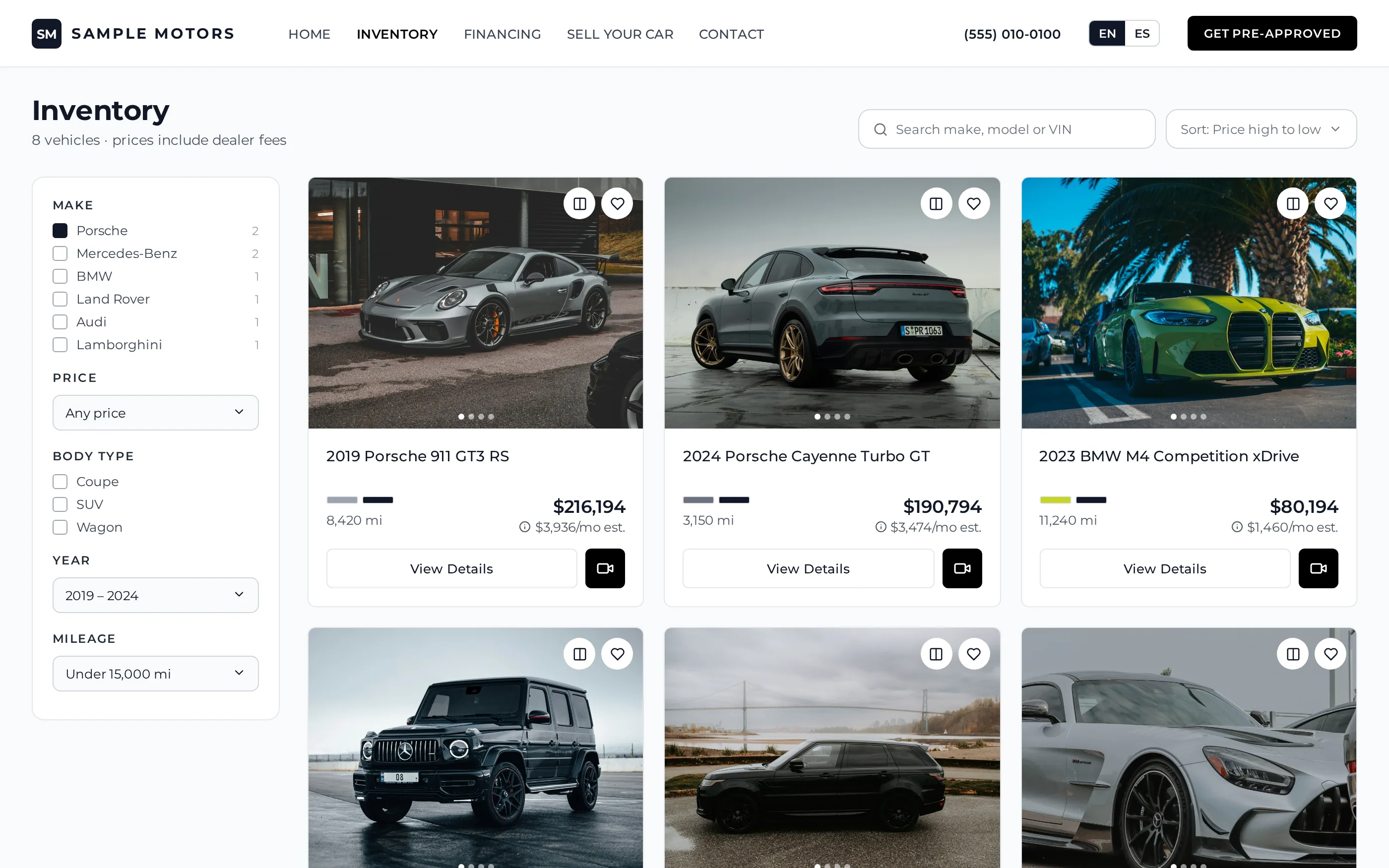
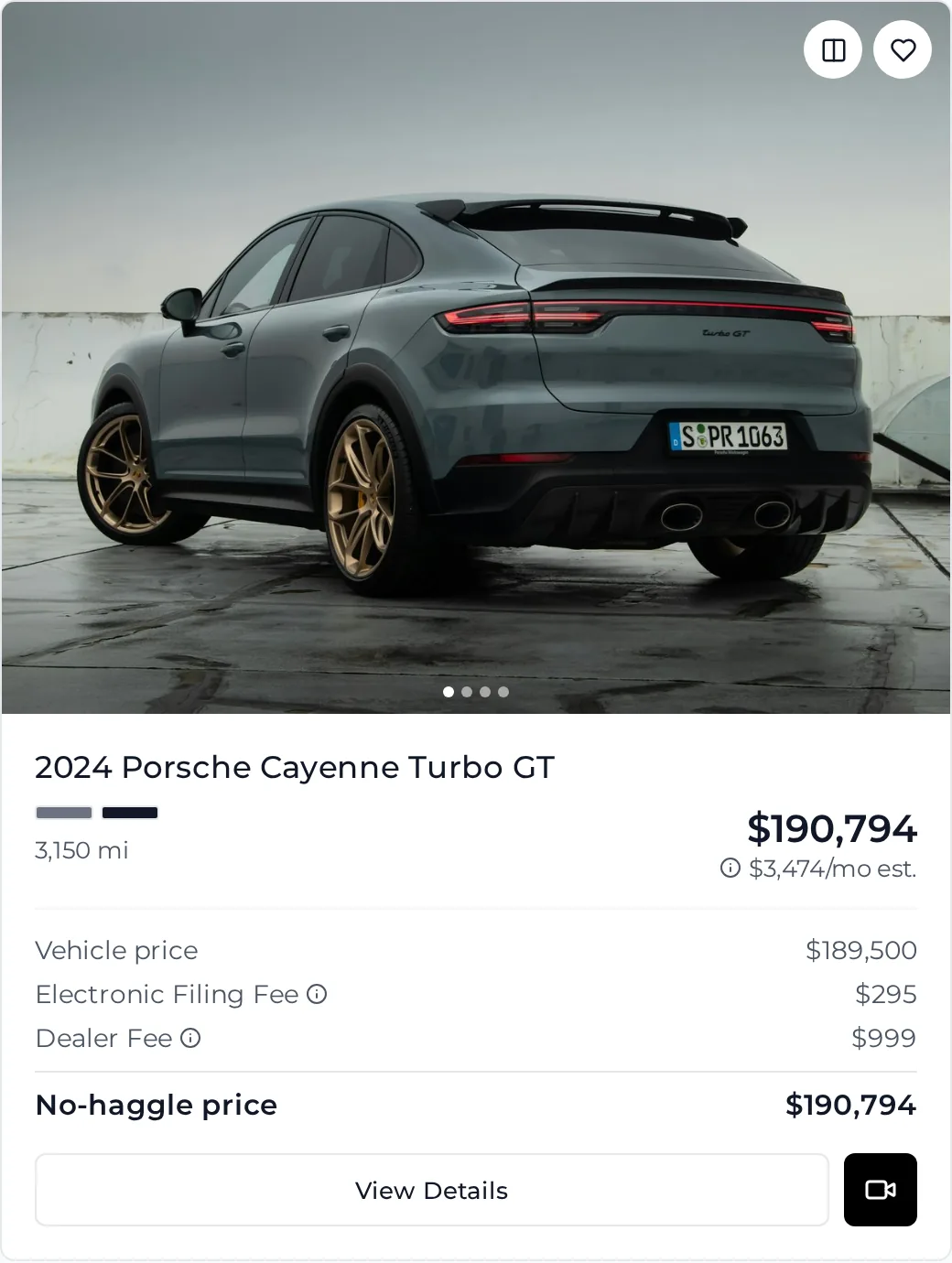
Enter your fees once. Every card and car page leads with the all-in no-haggle total, lists each fee underneath, and shows what it costs per month.
- Vehicle price, each fee with its note, and the total
- Estimated monthly payment on every card
- Payment calculator with down payment, term and APR on each car
- Sorting, filters and the price Google sees all use the total
Shopper tools
Keep shoppers on your lot, not on a marketplace
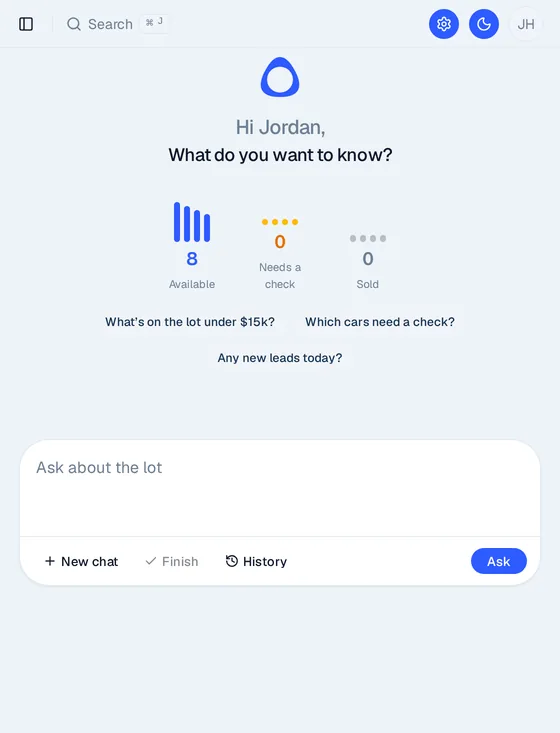
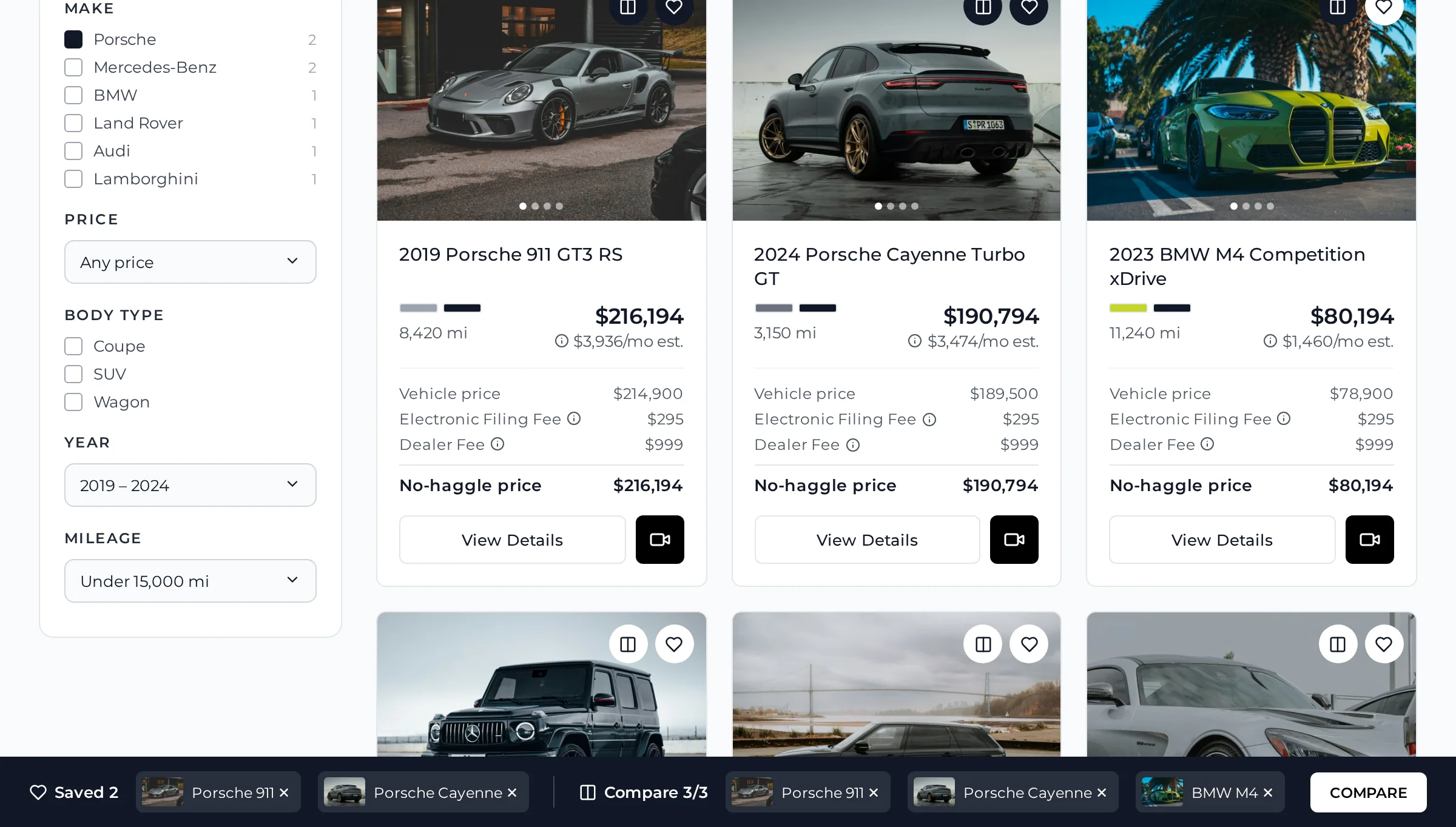
Shoppers can shortlist cars, put them side by side and ask questions any time, without leaving your site.
- Save cars and compare up to three side by side
- A sales chat that answers from your own inventory and pages
- Chat asks for a name and phone number to set up a callback
Leads and CRM
Every lead lands in one place, with the car attached
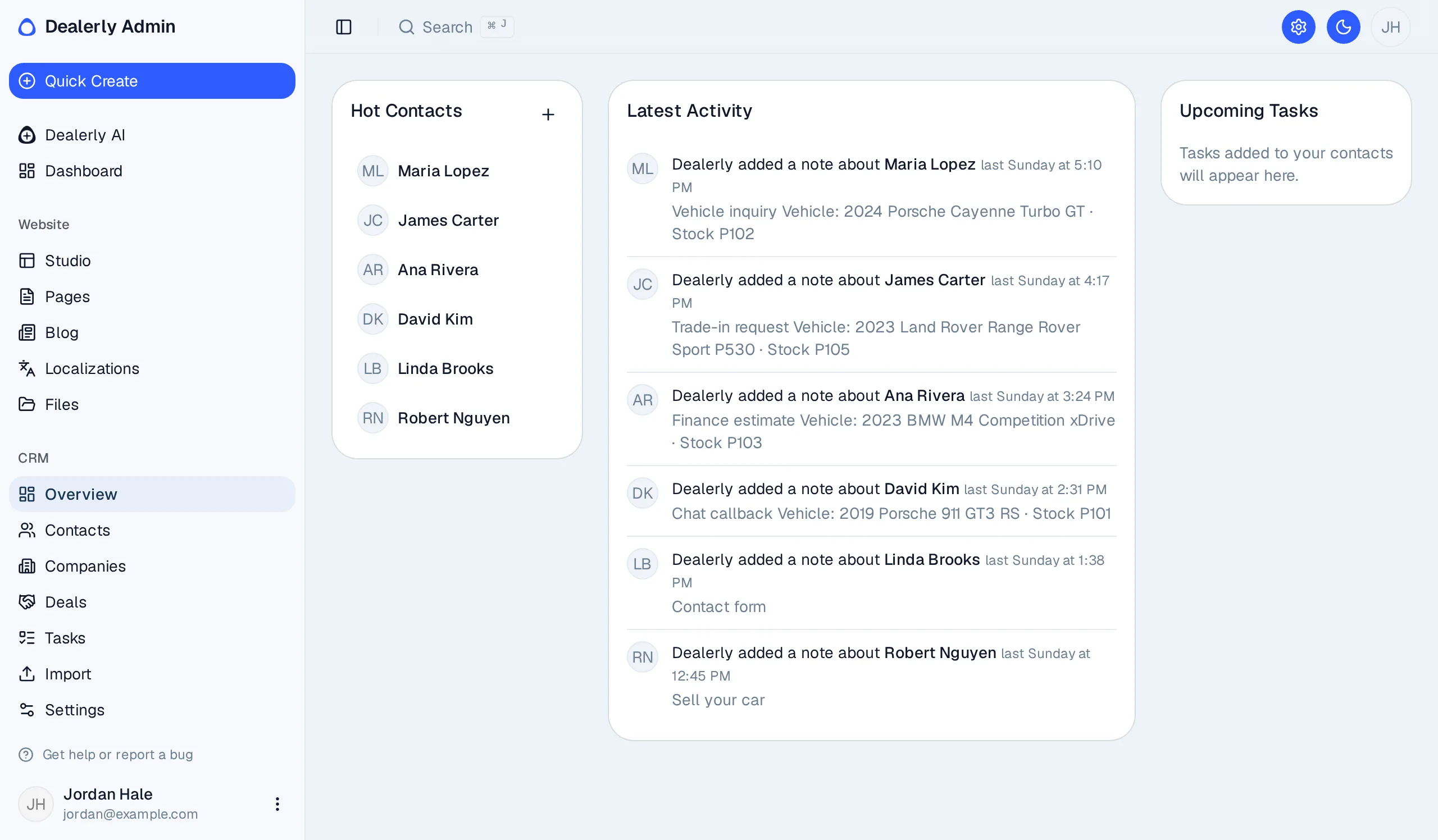
Call requests, trade-ins, sell-your-car, consignment, financing and chat leads all arrive in the admin. You also get an email for each one.
- The car the shopper was looking at is saved on the lead
- Built-in contacts, deals and tasks to follow up
- Forward leads in ADF format to the CRM you already use
Control
Change your site yourself, and undo it if you need to
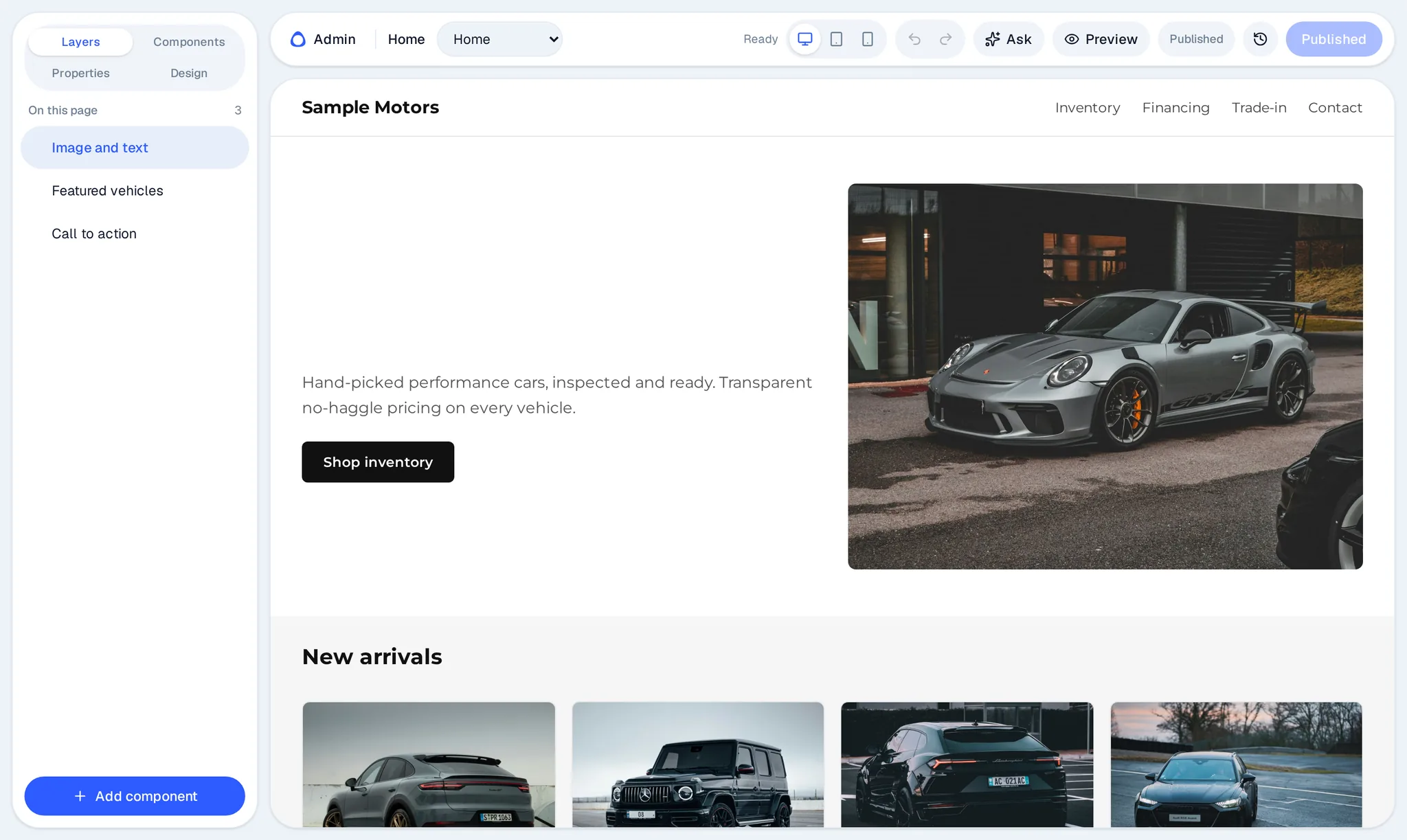
Edit pages, banners and blog posts in the admin, preview them, then publish when you are ready.
- Page and blog editors with drafts
- Every publish is a release you can roll back
- Visitor stats from privacy-friendly Plausible analytics, in the admin

How it works
From your lot to your website in three steps
Connect your inventory
Point the export from your dealer software, for example DealerCenter, at Dealerly and pick a sync schedule.
Your site goes live
Your cars, fees and brand on your own domain, in English and Spanish.
Leads come to you
Calls, trades, financing and chat requests land in your admin and inbox with the car attached.
Localizations
Your site in your shoppers' language
Dealerly sites are built for more than one language, with English and Spanish available now. Turn a language on and auto-translate fills in every page, car and fee. Florida law and FTC guidance expect the advertised price to include dealer fees, so the all-in price is the same in every language.
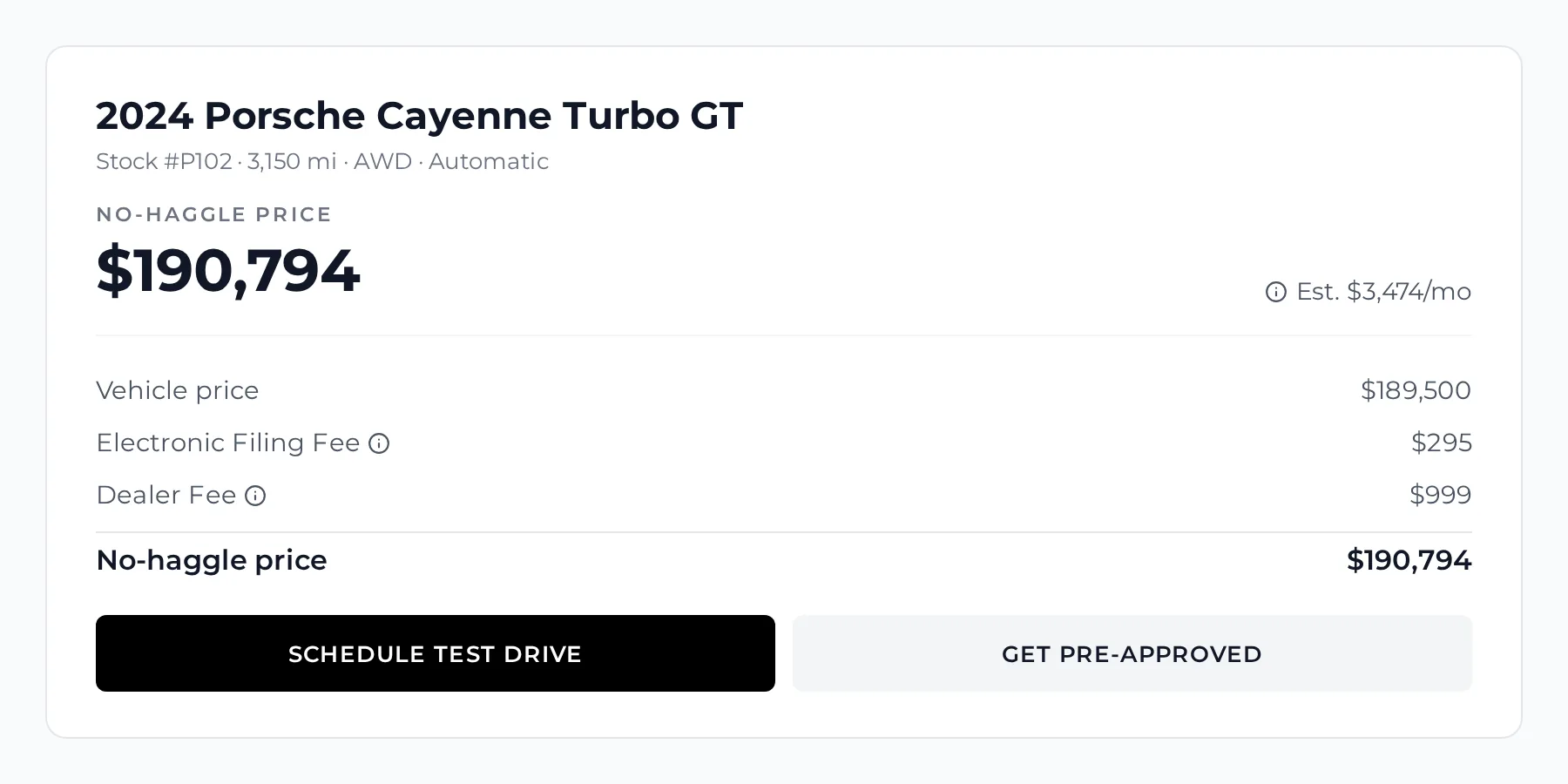
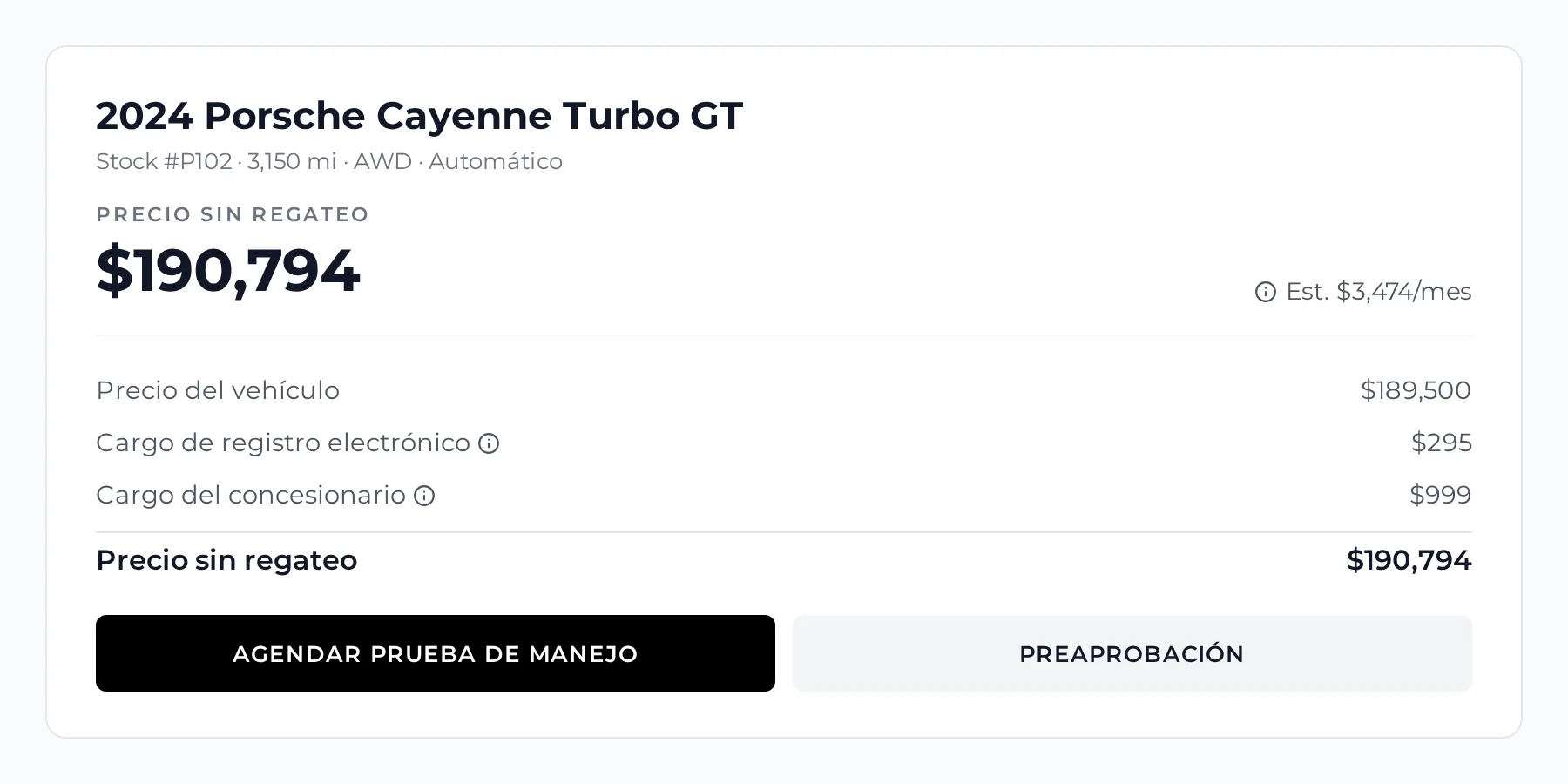
- Translated automatically. Auto-translate fills in every page, car and fee, including fee names and notes, so a new language is ready without retyping.
- Edit any wording. Change any translation in the admin, field by field. Auto-translate only fills in what's missing, so your edits stay.
- One tap to switch. Shoppers change language on any page and stay on the same car.
Dealerly gives you the tools to price clearly. It isn't legal advice, so check your own ads with your attorney.
FAQ
Questions dealers ask
Something else on your mind? Send us a note through the form below.
Ask a questionWhat is Dealerly?
Dealerly is a website platform for car dealers. It runs your public site, your inventory and your leads from one admin.
Who is it for?
Independent used-car dealers who want their own website instead of relying only on marketplaces.
How do my cars get on the site?
Dealerly imports the inventory file your dealer software exports, for example DealerCenter, up to three times a day. Cars are matched by VIN, so prices, miles and photos stay current. Cars that disappear from the feed are flagged for you to check. You can also add or edit cars by hand.
How do leads work?
Contact, trade-in, sell-your-car, consignment, financing and chat forms all go to one inbox in your admin, with the car attached when the shopper started from one. You get an email for each lead, and leads can also be sent to your CRM in ADF format.
Does it replace my DMS?
No. Your DMS stays the source of truth for inventory. Dealerly reads its export and runs the website, leads and the built-in CRM around it.
Which languages does the site support?
English and Spanish are available now. Auto-translate fills in the Spanish version of every page, car and fee, including fee names and notes, and you can edit any translation yourself. Shoppers switch with one tap.
How are prices and fees shown?
You enter each fee once. Cards and car pages then show the all-in no-haggle price as the main number, with the vehicle price and each fee listed underneath.
Can I use my own domain?
Yes. Your site runs on your own domain, like yourdealership.com, with your logo and colors.
Can I see a demo?
Yes. Send us the form below and we will walk you through a demo site and the admin.
Put your lot on its own site
Tell us about your dealership. We'll get back to you to talk through your inventory feed, domain and setup.